Django Quick Start
This guide shows you how to get started with Chanx in Django with Django Channels.
Prerequisites
Install Chanx with Django Channels support:
pip install "chanx[channels]"
This installs Django, Django Channels, Django REST Framework, and Channels Redis.
Project Setup
Configure ASGI and WebSocket Routing
Create myproject/asgi.py:
import os
from channels.routing import ProtocolTypeRouter
from channels.security.websocket import OriginValidator
from channels.sessions import CookieMiddleware
from django.core.asgi import get_asgi_application
from chanx.channels.routing import include

os.environ.setdefault("DJANGO_SETTINGS_MODULE", "myproject.settings")
django_asgi_app = get_asgi_application()

application = ProtocolTypeRouter({
    "http": django_asgi_app,
    "websocket": CookieMiddleware(include("myproject.routing")),
})
Create WebSocket Routing
Create myproject/routing.py:
from channels.routing import URLRouter
from chanx.channels.routing import path
from myapp.consumers import ChatConsumer

router = URLRouter([
    path("ws/chat/", ChatConsumer.as_asgi()),
])
Configure Django Settings
Add to your settings.py:
INSTALLED_APPS = [
    'daphne',  # Only needed if using 'python manage.py runserver'
    # ... your apps
    'channels',
    'rest_framework',
    'chanx.channels',
]

# WebSocket settings
ASGI_APPLICATION = 'myproject.asgi.application'
CHANNEL_LAYERS = {
    'default': {
        'BACKEND': 'channels_redis.core.RedisChannelLayer',
        'CONFIG': {
            "hosts": [('127.0.0.1', 6379)],
        },
    },
}

# Chanx configuration
CHANX = {
    "CAMELIZE": True,
    "SEND_COMPLETION": False,
    "LOG_WEBSOCKET_MESSAGE": True,
    "ASYNCAPI_TITLE": "My WebSocket API",
    "ASYNCAPI_DESCRIPTION": "WebSocket API documentation",
}
Add AsyncAPI Documentation URLs
Add to your urls.py:
from django.urls import path, include

urlpatterns = [
    # ... your URLs
    path('asyncapi/', include('chanx.channels.urls')),
]
Create a Simple Consumer
Define Message Types
Create myapp/messages.py:
from typing import Literal
from pydantic import BaseModel
from chanx.messages.base import BaseMessage

# Payloads
class EchoPayload(BaseModel):
    message: str

class NotificationPayload(BaseModel):
    alert: str
    level: str = "info"

# Client Messages
class EchoMessage(BaseMessage):
    action: Literal["echo"] = "echo"
    payload: EchoPayload

# Server Messages
class EchoResponseMessage(BaseMessage):
    action: Literal["echo_response"] = "echo_response"
    payload: EchoPayload

class NotificationMessage(BaseMessage):
    action: Literal["notification"] = "notification"
    payload: NotificationPayload

# Events (for server-side broadcasting)
class SystemNotifyEvent(BaseMessage):
    action: Literal["system_notify"] = "system_notify"
    payload: NotificationPayload
Create the Consumer
Create myapp/consumers.py:
from chanx.core.decorators import ws_handler, event_handler, channel
from chanx.channels.websocket import AsyncJsonWebsocketConsumer
from chanx.messages.incoming import PingMessage
from chanx.messages.outgoing import PongMessage
from .messages import (
    EchoMessage, EchoResponseMessage, NotificationMessage,
    SystemNotifyEvent, EchoPayload, NotificationPayload
)

@channel(name="chat", description="Simple chat and echo system", tags=["demo"])
class ChatConsumer(AsyncJsonWebsocketConsumer[SystemNotifyEvent]):
    groups = ["general_chat"]  # Auto-join this group

    @ws_handler(summary="Handle ping requests")
    async def handle_ping(self, message: PingMessage) -> PongMessage:
        return PongMessage()

    @ws_handler(
        summary="Echo messages back to sender",
        description="Returns the same message with a prefix",
    )
    async def handle_echo(self, message: EchoMessage) -> EchoResponseMessage:
        return EchoResponseMessage(
            payload=EchoPayload(message=f"Echo: {message.payload.message}")
        )

    @ws_handler(
        summary="Broadcast message to all connected clients",
        output_type=NotificationMessage,
    )
    async def handle_broadcast(self, message: EchoMessage) -> None:
        # Broadcast to all clients in the group
        await self.broadcast_message(
            NotificationMessage(
                payload=NotificationPayload(
                    alert=f"Broadcast: {message.payload.message}",
                    level="info"
                )
            )
        )

    @event_handler
    async def handle_system_notify(self, event: SystemNotifyEvent) -> NotificationMessage:
        """Handle system notifications from background tasks."""
        return NotificationMessage(payload=event.payload)
Run the Server
Option 1: Using Django's runserver (requires daphne in INSTALLED_APPS):
python manage.py runserver
Option 2: Using Uvicorn directly (no daphne needed in INSTALLED_APPS):
uvicorn myproject.asgi:application
Visit http://localhost:8000/asyncapi/docs/ to see the auto-generated documentation.
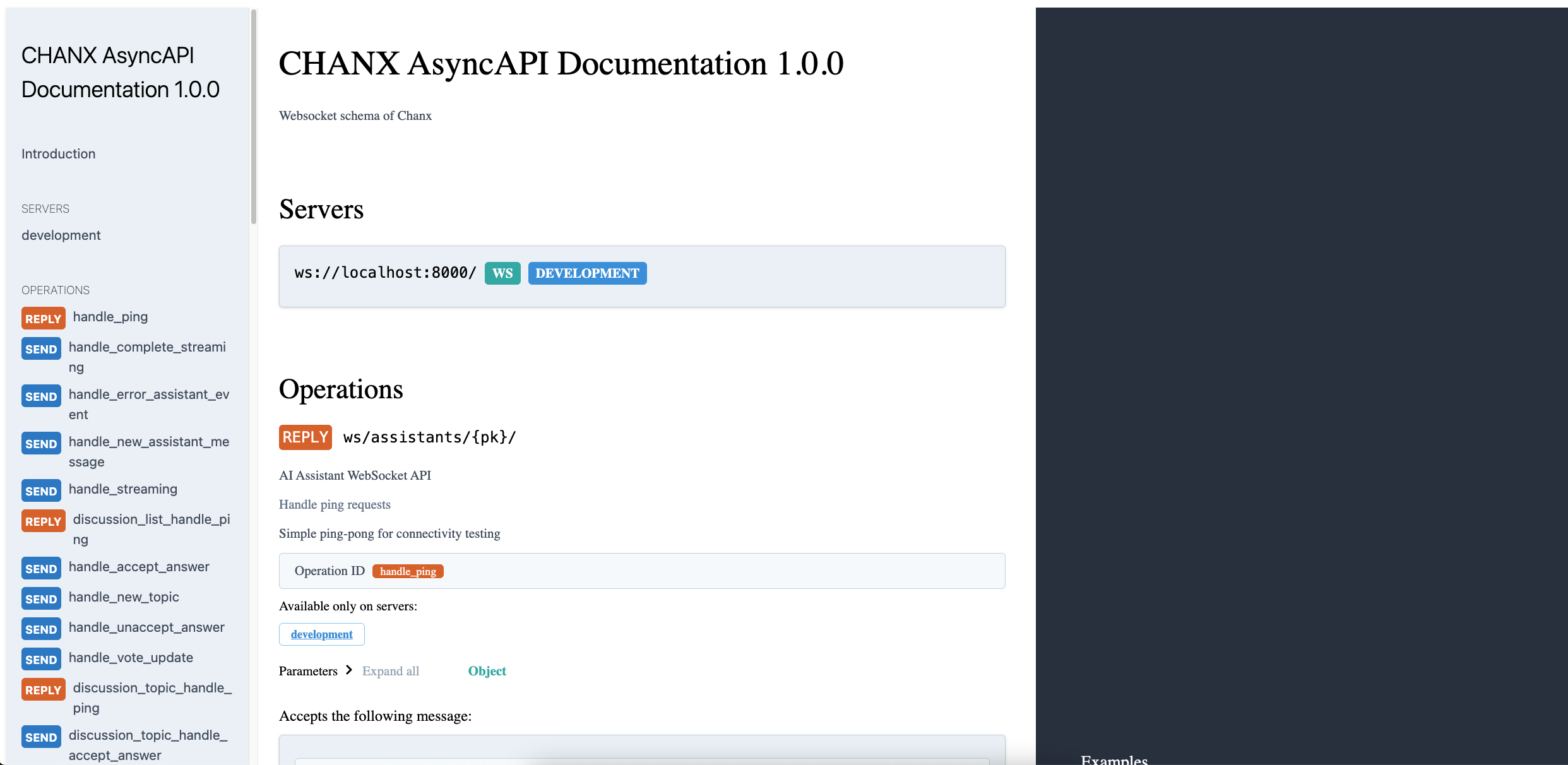
Test with JavaScript in the browser console:
// Connect to WebSocket
const ws = new WebSocket('ws://localhost:8000/ws/chat/');

ws.onmessage = (event) => {
    console.log('Received:', JSON.parse(event.data));
};

// Test ping
ws.send(JSON.stringify({"action": "ping"}));

// Test echo
ws.send(JSON.stringify({
    "action": "echo",
    "payload": {"message": "Hello World"}
}));

// Test broadcast (all connected clients will receive this)
ws.send(JSON.stringify({
    "action": "broadcast",
    "payload": {"message": "Hello everyone!"}
}));
Send Events from Anywhere
You can send events to WebSocket clients from Django views, Celery tasks, etc:
# From a Django view
from myapp.consumers import ChatConsumer
from myapp.messages import SystemNotifyEvent, NotificationPayload

def some_view(request):
    # Send notification to all connected clients
    ChatConsumer.broadcast_event_sync(
        SystemNotifyEvent(
            payload=NotificationPayload(
                alert="Server maintenance in 5 minutes",
                level="warning"
            )
        ),
        groups=["general_chat"]
    )
    return JsonResponse({"status": "notification sent"})
Next Steps
Now that you have a working Django WebSocket consumer with Chanx:
Tutorial:
Django Tutorial: Prerequisites - Follow the comprehensive Django tutorial to build a complete real-time application with chat, AI assistants, background tasks, and testing
Documentation:
Consumers & Decorators - Learn more about consumers and decorators
Framework Integration - Explore Django-specific features
AsyncAPI Documentation - Learn about AsyncAPI documentation generation
Testing WebSocket Consumers - Learn about testing your WebSocket consumers
Django Complete Example - See complete Django implementation examples
FastAPI Quick Start - Try Chanx with FastAPI